![TripCreator_logo_on_white.png]](https://articles.tripcreator.com/hs-fs/hubfs/TripCreator_logo_on_white.png?height=40&name=TripCreator_logo_on_white.png)
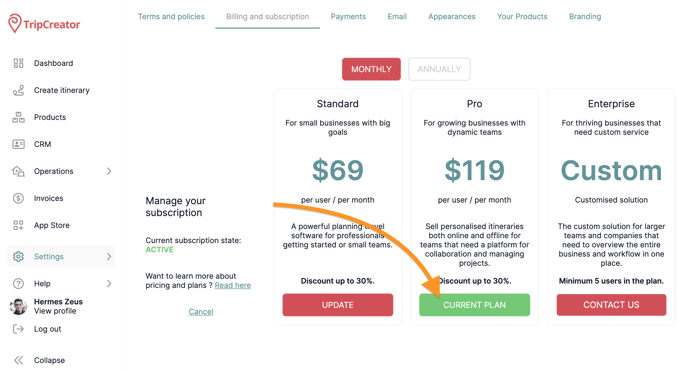
Whenever you need to make changes to your subscription — including updating your payment method — you can do so from the Billing page.
You’ll find the Billing page under Settings in the left-hand menu.
Then, click Current Plan and select Payment Methods to update your card details.